
Checking booking restrictions
At your lot, there might be a limit affecting what spots you can book, or you may be able to receive a set amount of discounted parking hours.
You can view any booking restrictions in the app at any time by tapping:
Account
Booking restrictions
From there, tap on either Short-Term Parking or Monthy Parking to see details of either. If you're a member of multiple lots, be sure you have the correct one selected. Tap on the lot at the top to change lots.
What you'll see:
The Group that you're in. Typically, this is a group based on the unit you live in.
How many members are in your Group.
Parking allotment: Any specifics that apply to parking reservations you make.
Be sure to fully read through the allotment section to get all the details.
Here are a couple of examples to explain what you might see. If you were to see this:
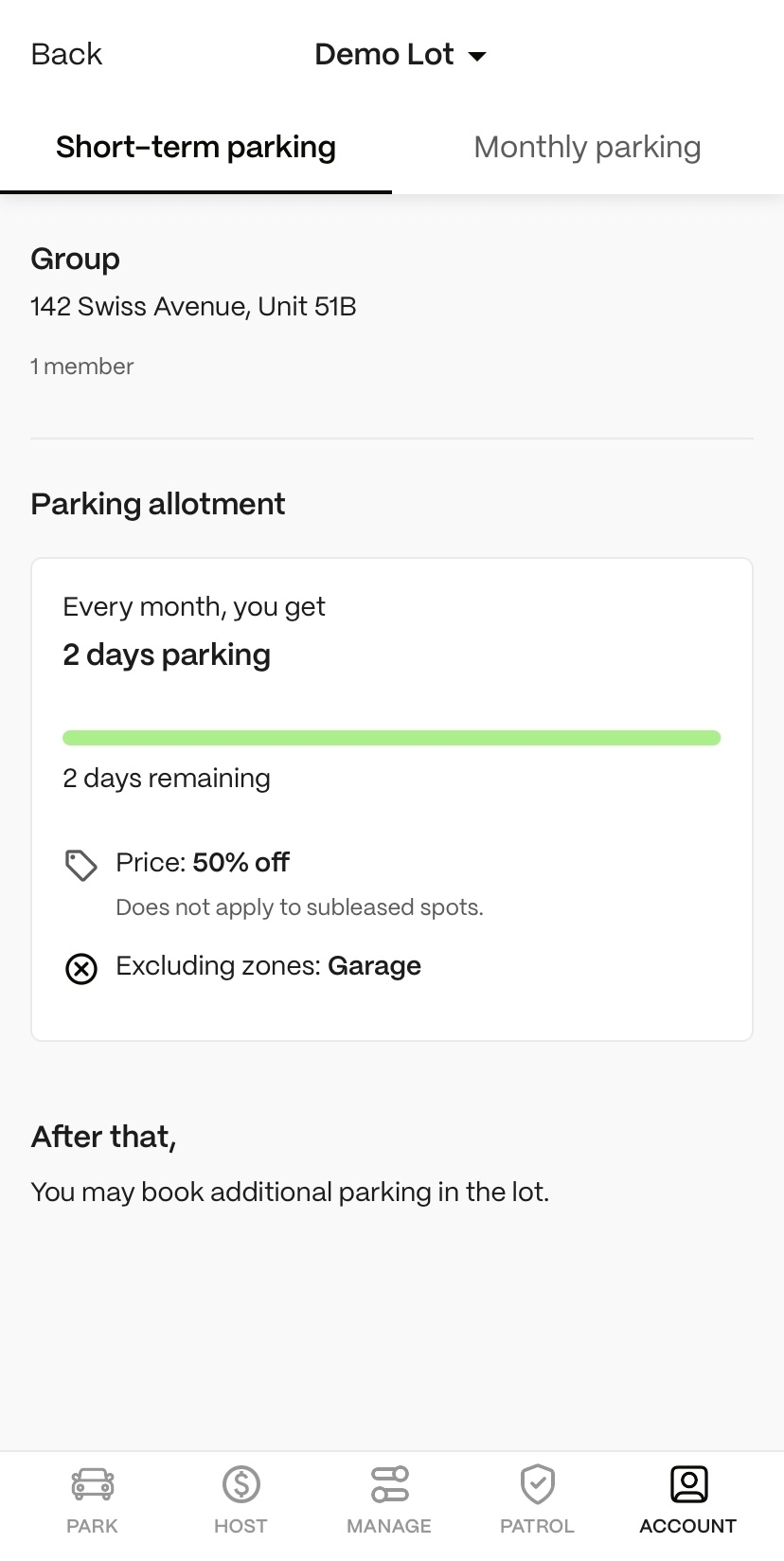
That means:
For short-term parking, you get 2 days (48 hours) of parking for half off.
After you use those 48 hours in a month, you can continue to reserve short-term parking, but it will be at the regular price.
Here's a monthly parking example:
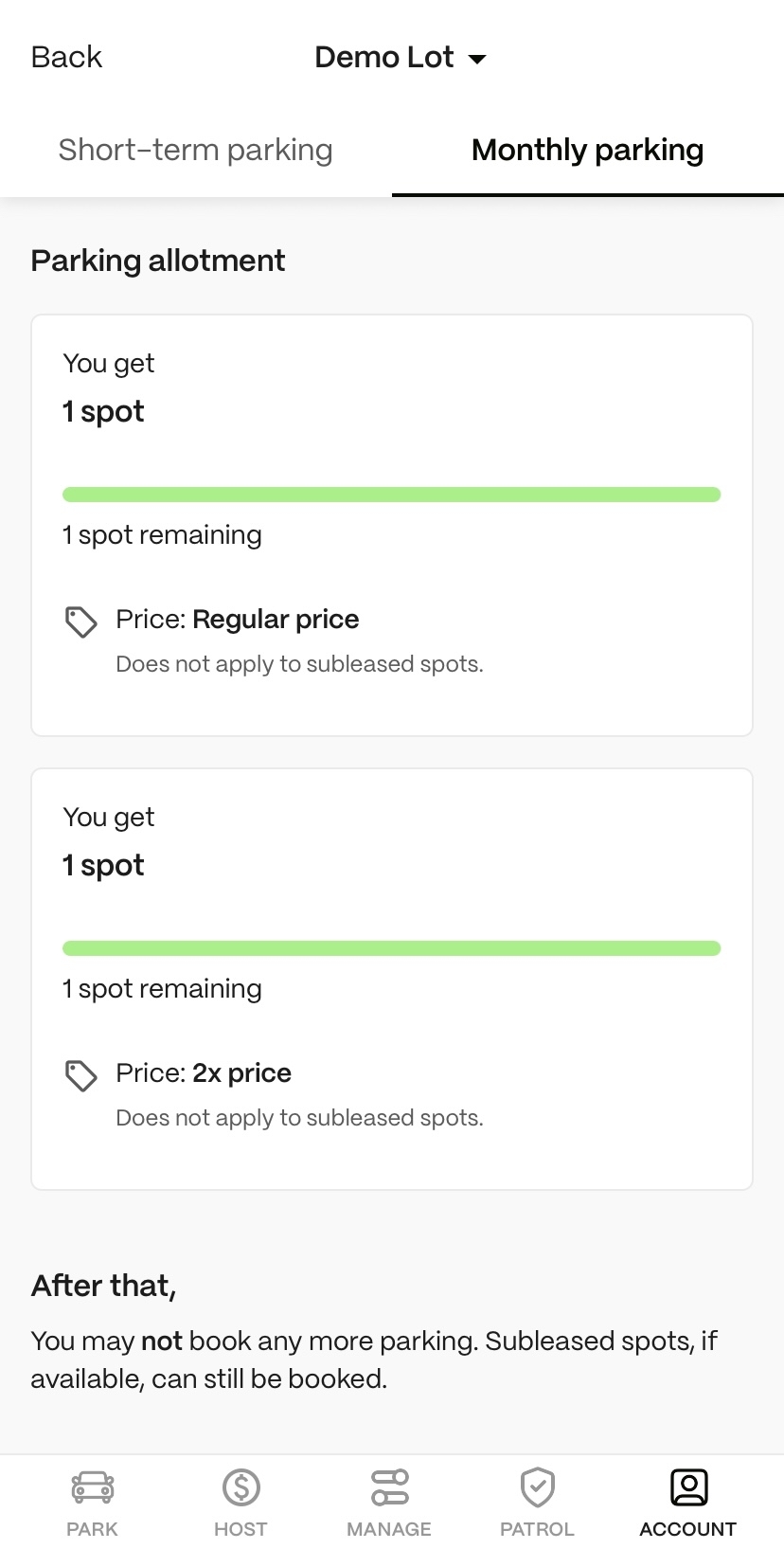
That means:
For monthly parking, you can make one monthly reservation at the regular price.
You can then make a second monthly reservation for twice the regular price.
But after you have two monthly reservations, you cannot make any additional monthly reservations.