
How to report a vehicle in your spot and other problems
Encountered an issue in your parking lot? Whether an unauthorized vehicle is in your spot or you noticed a general maintenance issue, reporting the problem is fast and easy. We're here to help resolve these issues so you can focus on the rest of your day.
You have a few options for creating a report: through your reservation in the Parkade app, by scanning a QR code, or using the Help option in the app.
Reporting from a reservation
If you have an active reservation and are within your scheduled parking hours, you can report an issue related to it:
In the Park tab, tap on the reservation for the spot.
Tap on Report Parking Problem.
Choose whether you're reporting unauthorized parking (a vehicle in your spot) or something else.
If a vehicle is in your spot:
Tap Add photo.
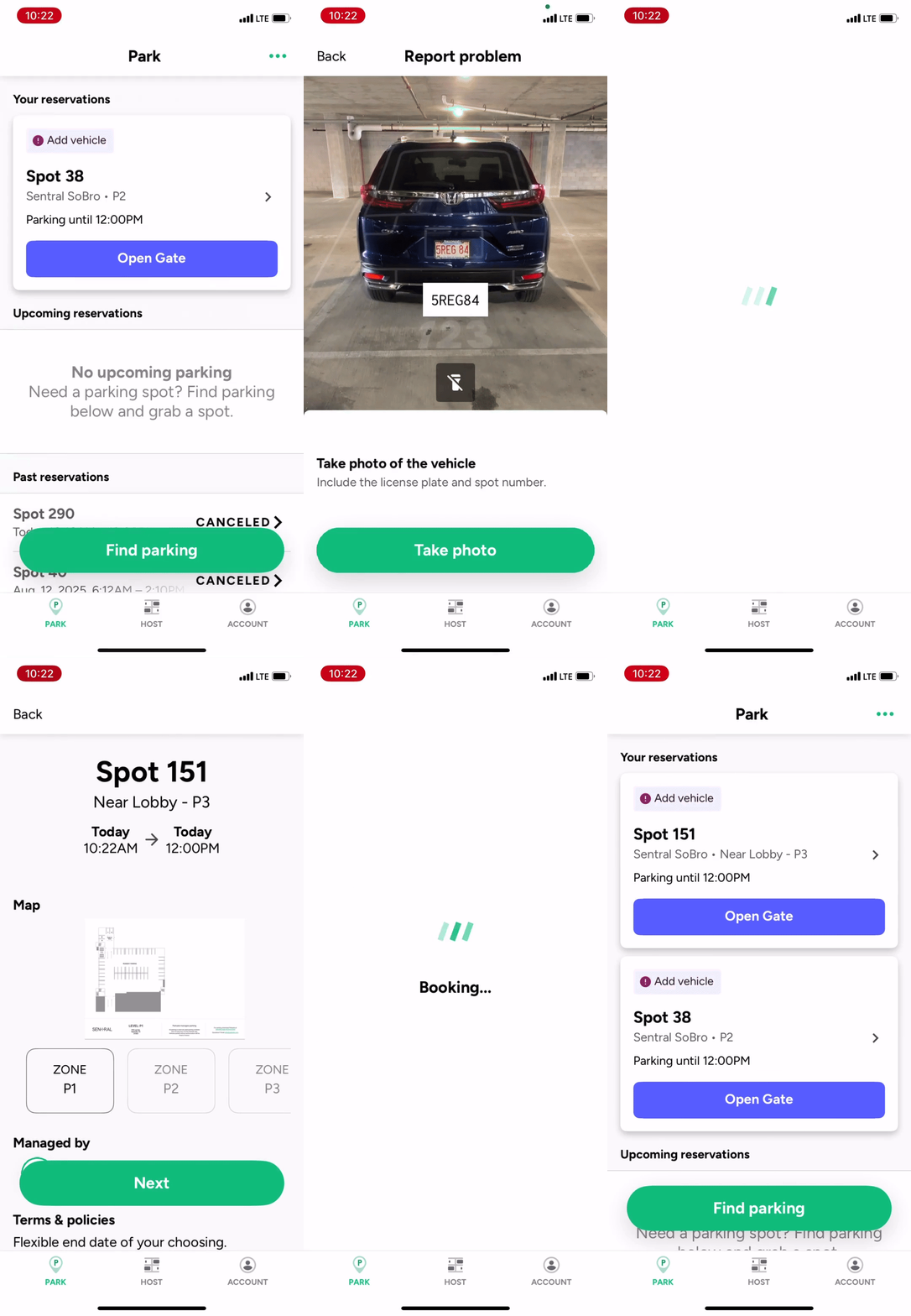
Tap Take photo or Choose from library. It's best to take a photo. We need a current photo of the vehicle and the spot to confirm it's still there.
Use the app to take a photo of the vehicle, making sure the license plate and spot number are in the photo. As you aim your camera at the vehicle, the app will try to read the license plate. Tap Take photo once the vehicle is centered and the plate is visible.
If you can't get the spot number in the photo, don't worry! You'll have the option to add a second photo. Use that to add a picture of the spot number.
After you take the photo, you'll see the plate number that the app automatically read from the vehicle. Make sure it's correct. If needed, tap on the field to edit the plate number.
Optionally, add a note in the Add a note field.
Tap Submit report.
Select from the available options for what you can do next (see below) and tap Next.
If you're reporting something else:
Tap the photo field to take a photo. Make sure the photo includes anything essential to help understand what's going on.
In the Notes field, give us as much detail as possible about what the problem is.
Report by scanning a QR code
If you're in the parking lot and see a Parkade sign with a QR code, you can use it to instantly start a report:
Open your smartphone's camera and point it at the QR code on the sign.
Tap the link that appears to open the Report a Problem page in the Parkade app.
Select the issue you're experiencing from the list of options.
Follow the prompts to provide details. You can add a photo, enter a license plate number, and leave helpful notes.
Submit your report, and our support team will handle the rest!
Report with the Help button
If you aren't near or don't see a QR code, you can also make a report from the app's main page:
Open the Parkade app and make sure you're on the Park tab.
Tap the Help button.
Select the issue from the list provided.
If your issue is related to a specific parking session, tap on the related active reservation to link the report directly to it.
Fill out the requested details, attach any relevant photos, and submit.
Resolution options
When you report that someone is parked in your spot, at the end of the report process we'll show you some or all of these options, depending on what's available.
Keep the reservation in place and reserve a temporary spot for free.
Please note this option is only available at buildings that utilize Parkade's full services and only when there are building-owned spaces available to rent.
Cancel the reservation and get a refund.
Do nothing.
Regardless of what options are available and what you choose, you can always use the app to make a new paid reservation if needed (for example, if there are no free spots available).
See here for full details about receiving a refund when reporting a problem.